Features
Everything Konsoll does
A tour of the app, laid out like its own Settings window.

Tabs
Every tab is a workspace: one shell, or several split panes, with its own running programs.
- Open with ⌘T or the + button; ⇧⌘T asks for a name first.
- Switch with ⌃Tab / ⌃⇧Tab, in the order you last used them.
- Reorder by pressing and holding a tab until it lifts, then dragging it.
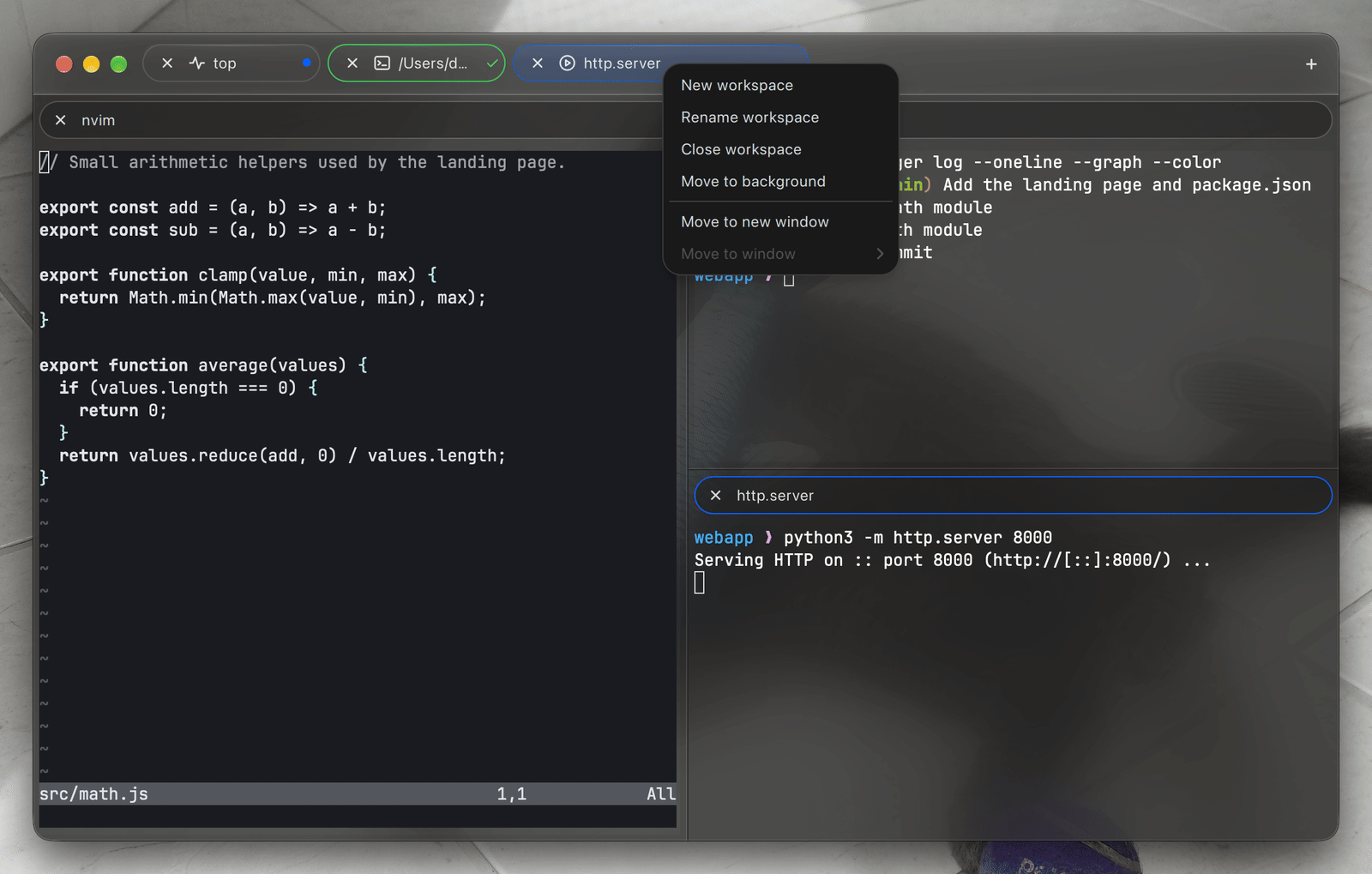
- Read the tab at a glance: an icon for the program in its active pane (ssh, editors, git, containers, REPLs, databases, builds, downloads, package managers, AI agents…), a progress ring when the program reports progress, and why a background tab wants a look — new output, a finished ✓ or failed ✗ command, or the bell.

Split Panes
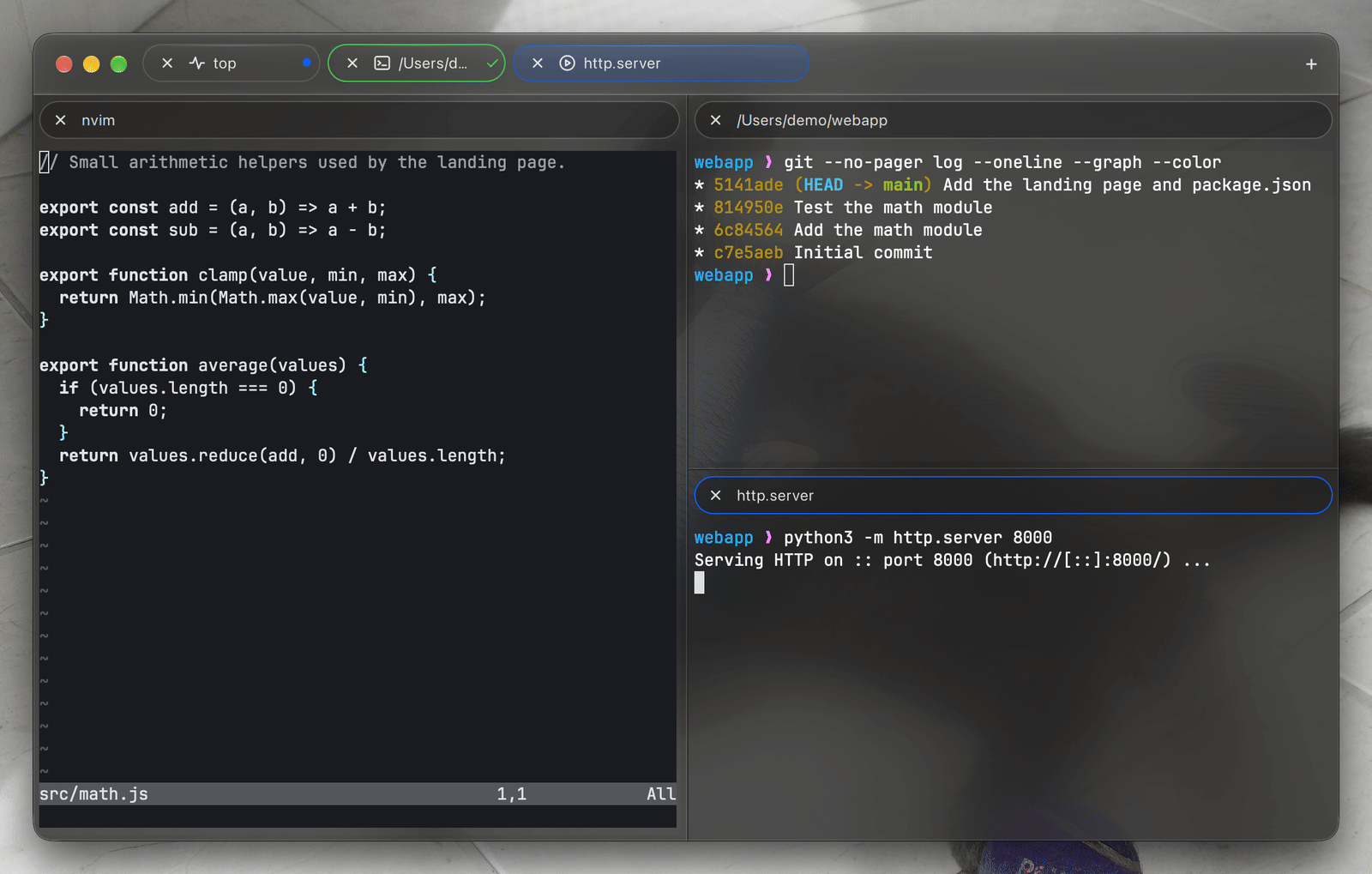
Split the active pane with ⌘D (side by side) or ⇧⌘D (top and bottom). Splits nest as deep as you like, and every pane is an independent shell with its own title bar.
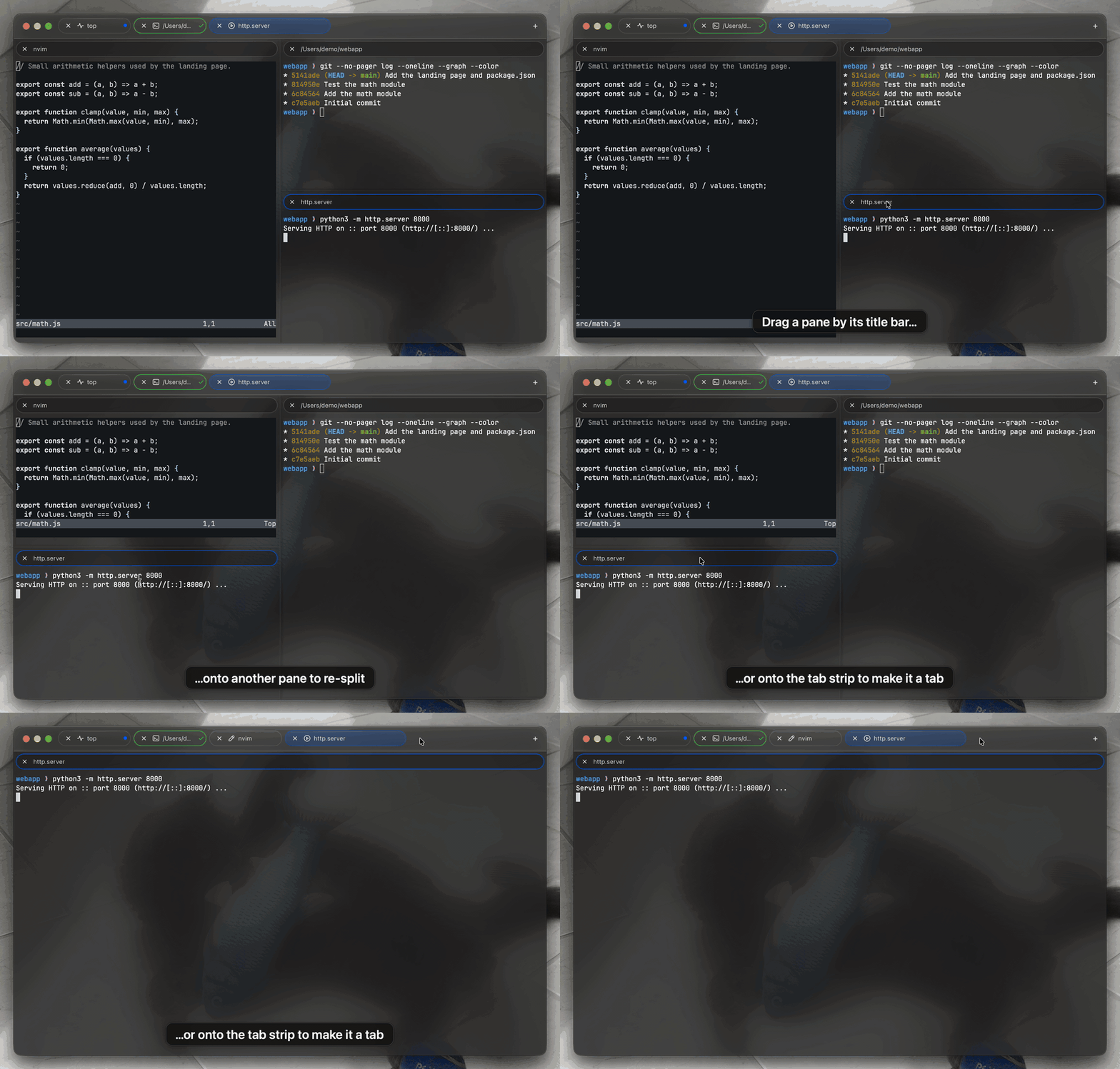
- Rearrange by dragging a pane by its title bar: drop it on the left or right half of another pane to place them side by side, on the top or bottom half to stack them.
- Promote a pane to a tab by dropping it on a tab strip, in this window or another, or tear it off into a new window.
- Moving a pane or a tab never restarts anything: the shell, its programs and its scrollback move with it.

Windows
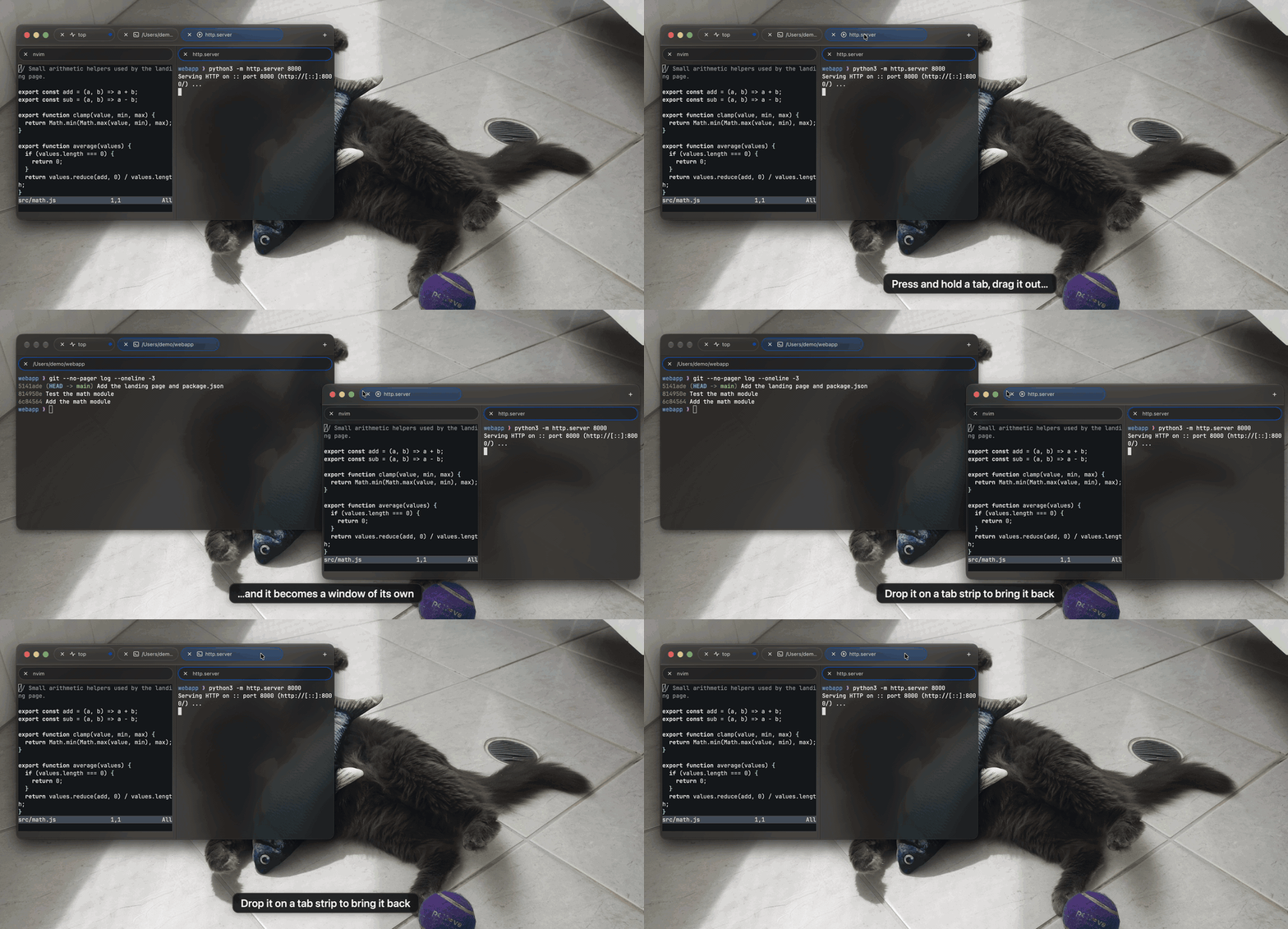
Open as many windows as you need with ⌘N; each is listed in the Window menu. Press and hold a tab and drag it out of the strip: drop it on another window to join its tabs, or anywhere else to give it a window of its own.
The last active window's size and position come back on the next launch.

Keyboard
Konsoll sends the keys macOS users expect to the shell's line editor, so word movement and deletion work in zsh, bash and fish without any configuration.
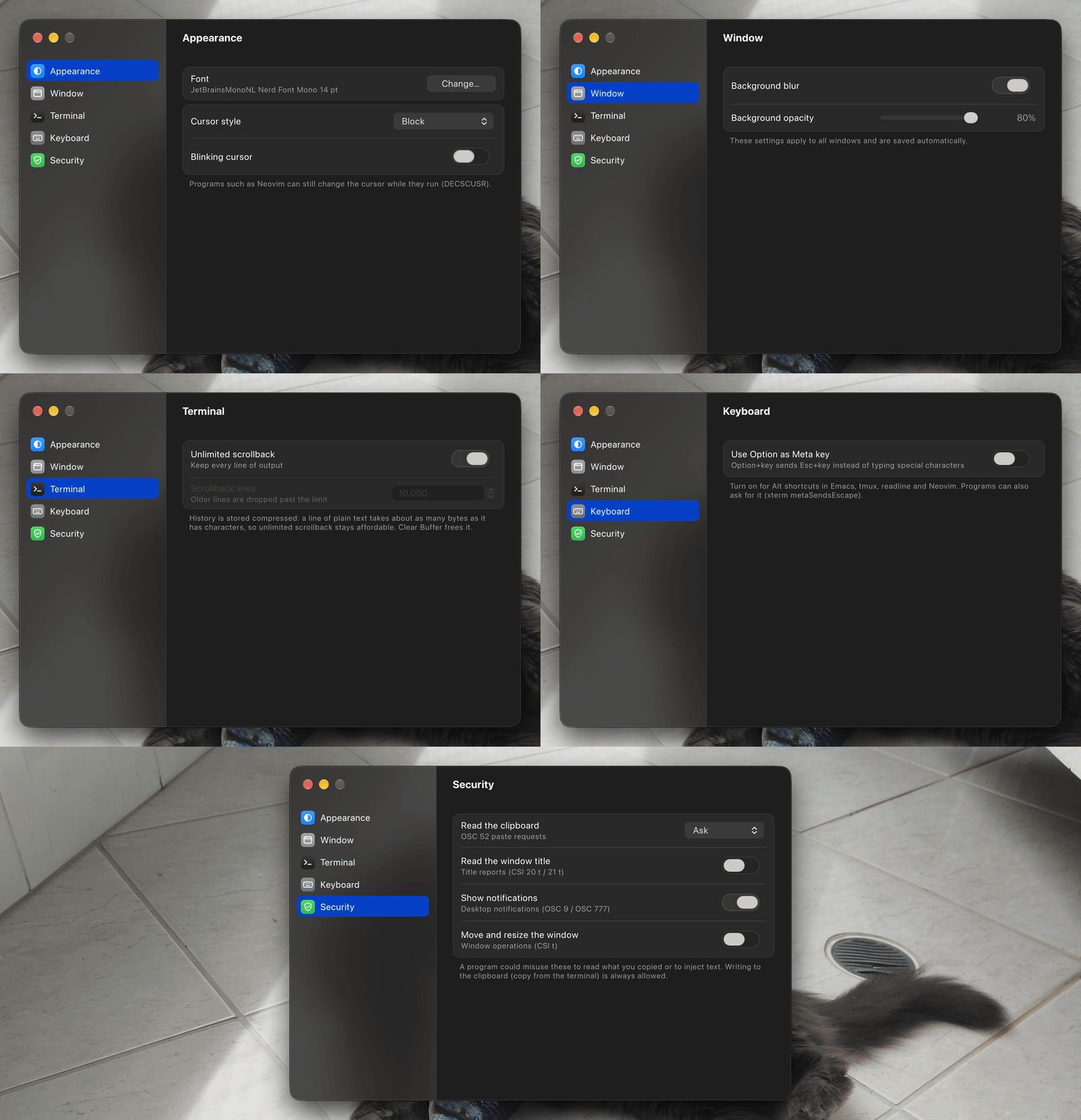
Use Option as Meta key (Settings ▸ Keyboard) sends every Option+key as Alt/Meta for Emacs, tmux or Neovim; off, Option still types ™ and accents. Programs that enable the kitty keyboard protocol or modifyOtherKeys receive the full encoding of every key.
Shortcuts

Selection & Search
- Command blocks. Shell integration loads by itself for zsh, bash and fish — it never edits your startup files. Click a command or a line of its output to highlight the whole block; ⌘C copies it.
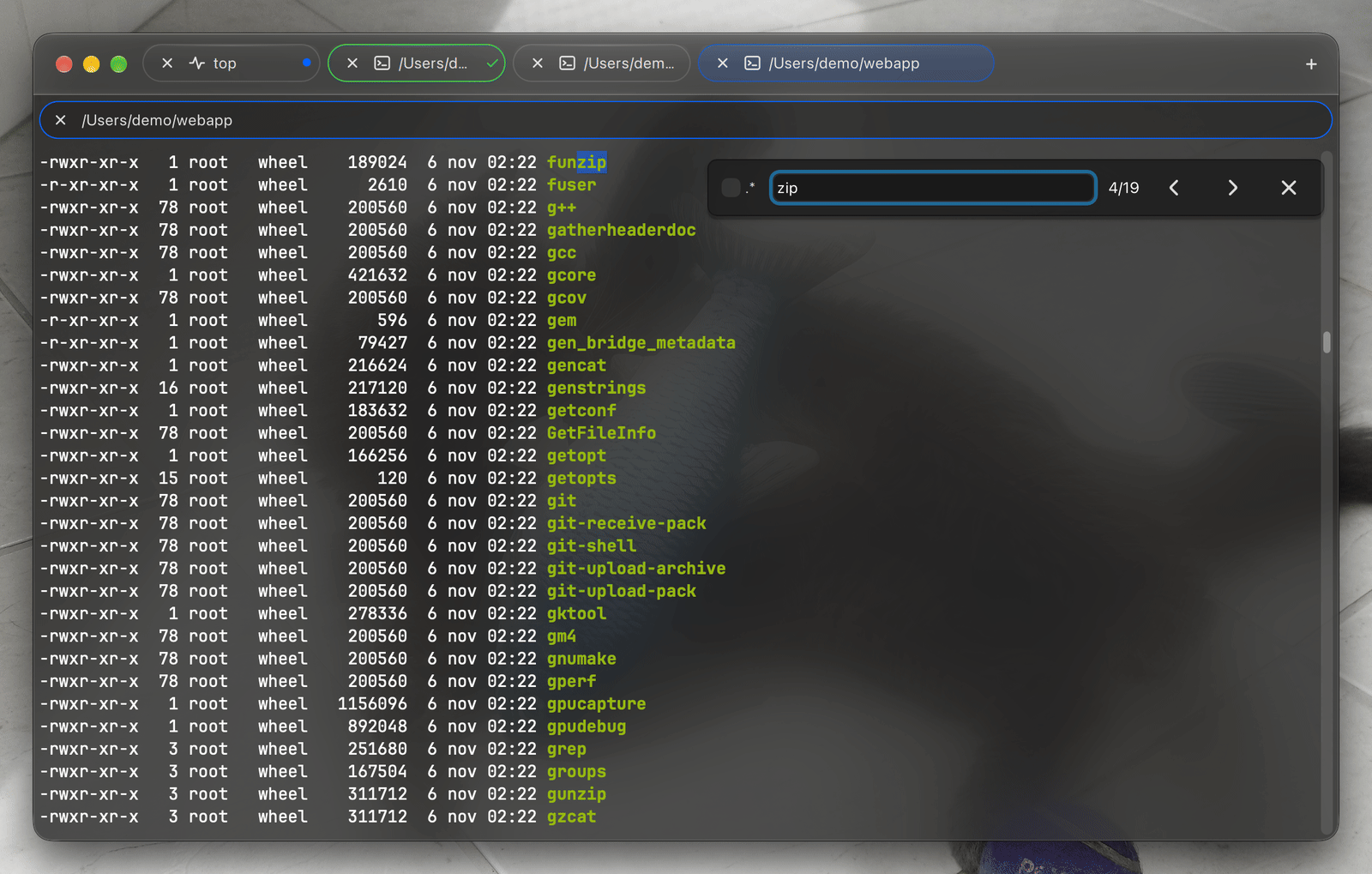
- Find with ⌘F across the whole scrollback, literal or with regular expressions.
- Save the selection or the whole buffer as a UTF-8 text file.
- Paste an image or drop files into an ssh session to upload them and insert their remote path.

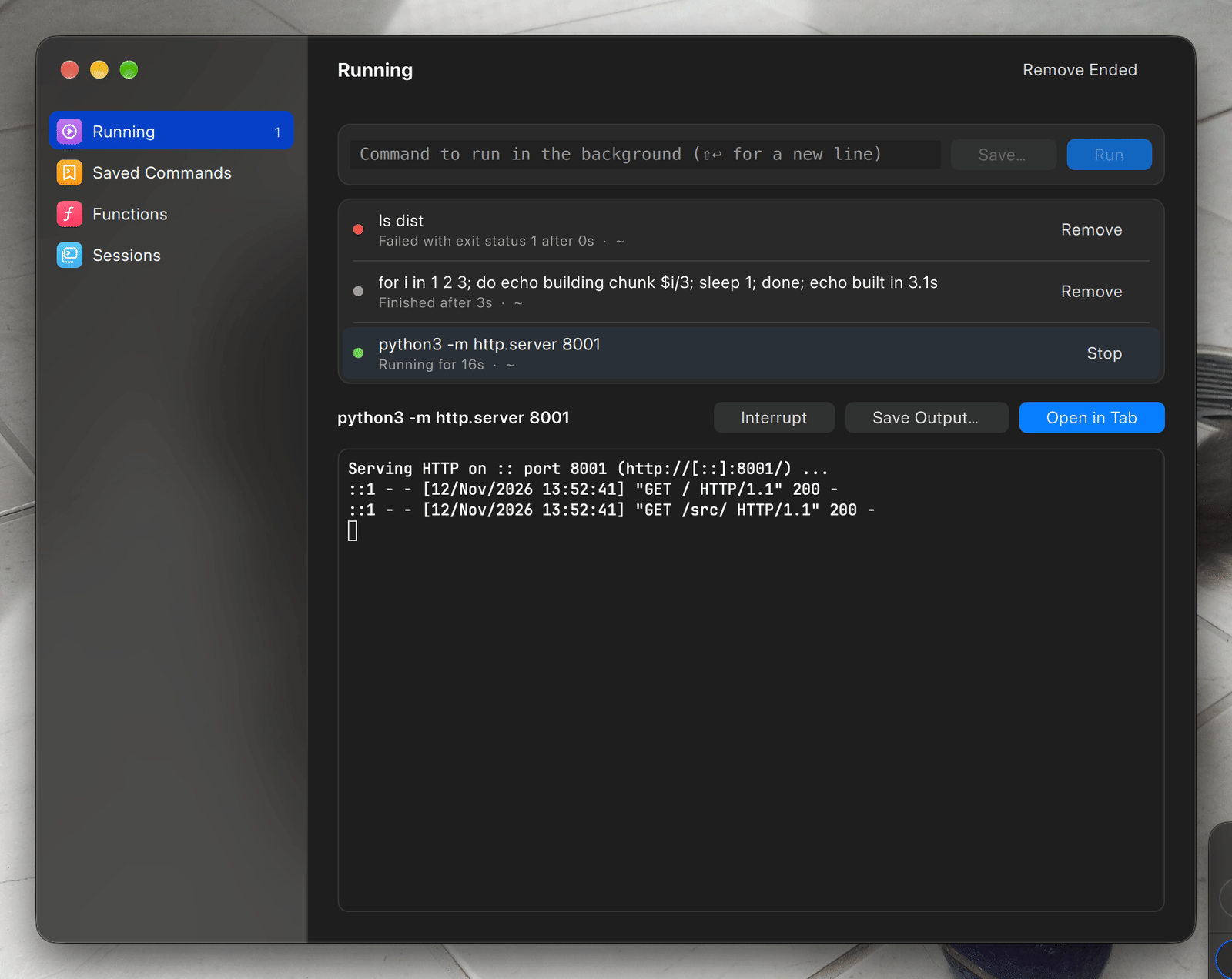
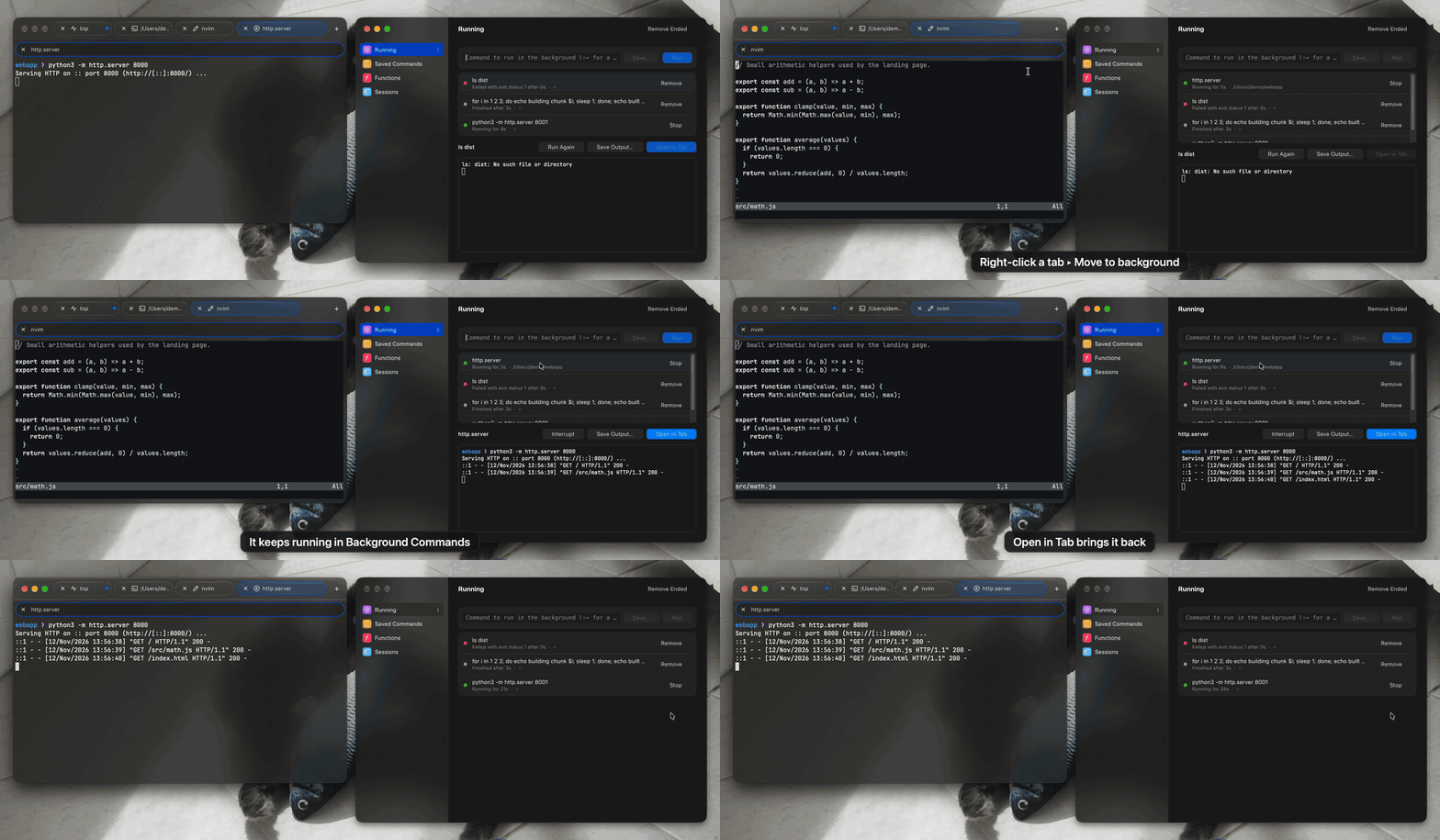
Background Commands
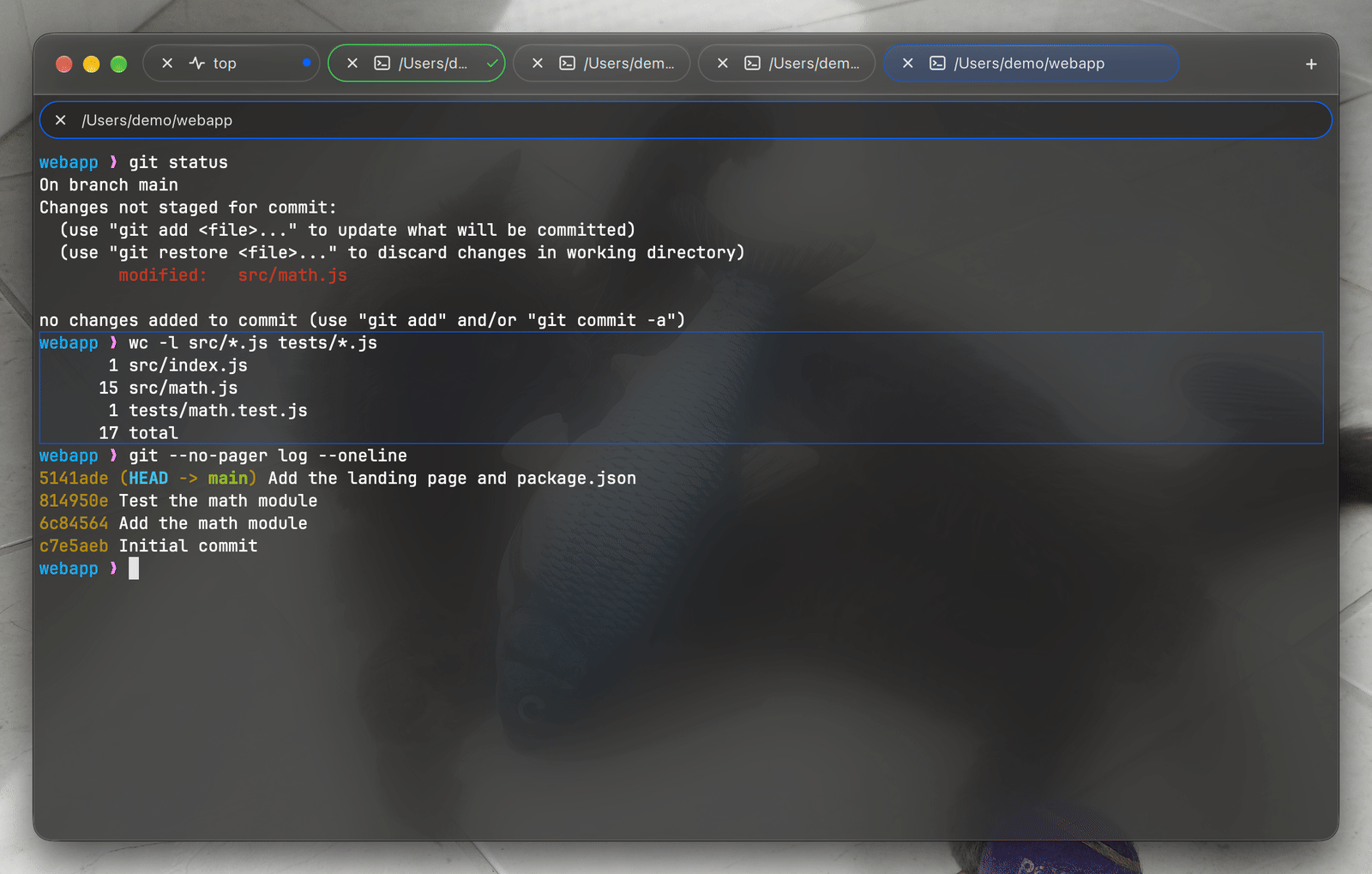
Run commands and shells without a tab: dev servers, build watchers, tunnels, long jobs. Open it with ⇧⌘B.
Commands run in your login shell, with your aliases and PATH, and a notification tells you when one ends.

Emulation
An in-house VT500-class state machine, validated against vttest and Neovim, with the modern xterm, kitty and iTerm2 extensions.
- Every SGR attribute: 256 colors, truecolor, curly and colored underlines.
- Unicode done right: wide CJK and emoji, combining marks, grapheme clusters (mode 2027).
- Images: the kitty graphics protocol (with animation), sixel and iTerm2 inline images.
- xterm keys with modifyOtherKeys and every kitty keyboard protocol enhancement.
- Mouse reporting (SGR and SGR-pixels), bracketed paste, synchronized output, focus events.
OSC 8hyperlinks,OSC 52clipboard,OSC 9notifications,OSC 9;4progress,OSC 7andOSC 133shell integration.
A native Qt Quick scene-graph renderer draws the screen, and unlimited scrollback is stored compacted, so a line of plain text costs about one byte per character.

Appearance
The whole window is see-through: the terminal background, the title bar and the tab strip are tinted with your terminal's color and blurred, with native Liquid Glass on macOS 26. Opacity and blur are yours to set, along with the font and the cursor.

Security
Programs ask; you decide.
OSC 52)Never, ask (the default) or alwaysKonsoll asks before closing a pane, tab or window whose shell is still running a command.

Updates
Once a day Konsoll looks for a newer release, downloads it in the background and installs it when you quit. Konsoll ▸ Check for Updates… checks right away and shows what changed. Updates are signed.